Paper documents continue to play an important role in corporate administration, education, healthcare and financial operations. However, storing large volumes of physical records can make document retrieval difficult, consume office space and increase administrative effort.
Businesses planning to digitise existing paperwork often face an equipment decision. Should they purchase dedicated scanners for a temporary project, rely on existing multifunction printers, or arrange a scanner on hire?
Understanding the capabilities and limitations of hired scanning equipment helps organisations select a practical solution.
Why Businesses Undertake Document Digitisation
Document digitisation involves converting physical records into electronic files that can be stored, searched and managed through appropriate digital systems.
Organisations may undertake scanning projects to:
- Reduce dependence on physical storage
- Improve document retrieval
- Support electronic record management
- Create authorised digital copies of important paperwork
- Prepare documents for secure sharing
- Support administrative process improvements
However, scanning alone does not automatically create a complete document management system.
File naming, indexing, access permissions, backup procedures and retention policies remain essential.
Different Scanners Serve Different Purposes
A scanner suitable for occasional office paperwork may not perform efficiently during a large document conversion project.
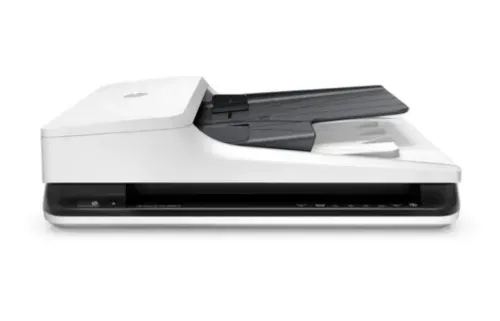
Flatbed scanners
These are useful for books, photographs, fragile documents and materials that should not pass through an automatic feeder.
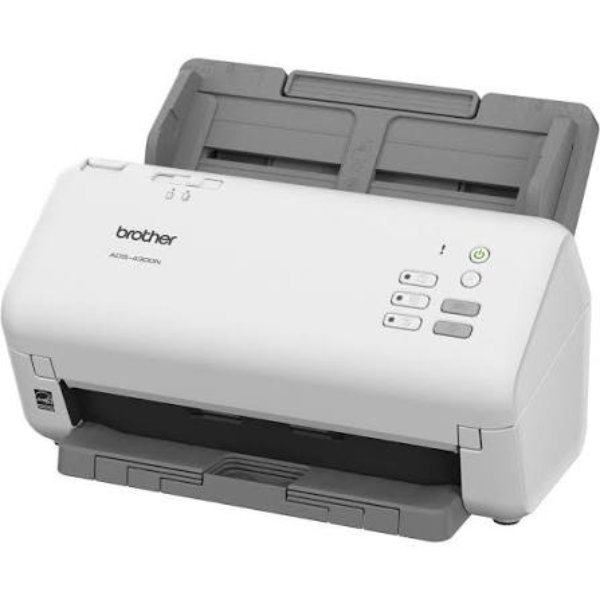
Sheet-fed scanners
These devices process individual sheets through a document feeder and are commonly used for office records.
High-speed document scanners
Designed for substantial scanning workloads, these machines can process larger document batches with suitable feeding and image-processing capabilities.
Duplex scanners
Duplex functionality allows both sides of a document to be captured automatically.
The right equipment depends on document condition, paper size, scanning volume and required image quality.
Understanding Scanner Speed and Resolution
Scanner specifications can influence project completion time.
Scanning speed is often expressed in pages per minute or images per minute. Duplex scanning may produce two images from one double-sided sheet.
Resolution is generally measured in dots per inch.
For ordinary text documents, 300 dpi is often a practical starting point, although specific documents may require different settings.
Higher resolution produces more image detail but can increase file size and processing requirements.
Organisations should also consider whether searchable PDF creation requires optical character recognition software.
OCR accuracy depends on factors such as document quality, language, handwriting and scanning settings.
Preparing Documents Before Scanning
Equipment performance is only one part of successful digitisation.
Before scanning begins, employees should prepare the paperwork carefully.
Useful preparation steps include:
- Removing staples and paper clips
- Separating damaged documents
- Arranging pages in the correct sequence
- Identifying double-sided records
- Removing unnecessary duplicate copies
- Establishing file naming conventions
- Defining quality-checking procedures
Poor preparation can lead to paper jams, missing pages and additional rescanning work.
For organisations handling confidential information, secure access and document disposal procedures should also be established.
Document Scanning Requirements Across Industries
Businesses in Bangalore and other commercial centres across Karnataka increasingly manage both physical and electronic records.
Educational institutions may digitise admission forms and academic documentation.
Corporate offices may convert contracts, invoices and administrative files.
Healthcare organisations may scan authorised records while following applicable privacy and information-security requirements.
Financial and professional service providers may require searchable archives for internal operations.
Each use case requires different levels of equipment capacity, document preparation and information security.
Frequently Asked Questions
Is Scanner on Hire Suitable for Bulk Scanning?
Yes, provided the selected scanner has adequate feeder capacity, scanning speed and recommended daily workload for the project.
Can Hired Scanners Create Searchable PDFs?
Some scanners can work with software that supports searchable PDF creation. OCR functionality and licensing should be confirmed separately.
What Should Be Checked Before Hiring a Scanner?
Check scanning speed, supported document sizes, duplex capability, connectivity, software compatibility, maintenance arrangements and rental duration.
Building an Efficient Digitisation Process
A successful scanning project depends on more than processing pages quickly.
Document preparation, equipment selection, file organisation and quality verification determine whether the resulting digital archive is useful.
Hiring scanning equipment can provide temporary access to suitable technology, but organisations should first define their document volumes, project timelines and information-management requirements.
Keywords